madbookings.com

Safari guide . Fly in, film, fly home

Video basics
for the road.

You don't need a film crew to come home with footage you'll actually watch. You need a bag that gets through the airport, a handful of settings you never have to think about again, something steady to lean on, a mic that beats the wind - and a ten-minute evening habit that keeps three weeks of clips safe until you land.

The setting
25 fps at 1/50s - set it once, leave it
The support
Engine off, camera on something solid
The sound
A furry wind cover on every mic
The habit
Two copies, two bags, then clear the card

01Before you fly: what goes where

Most trips to Namibia start with a long-haul flight into Windhoek, often with a connection through Johannesburg or Cape Town. Pack for that, not for the road. The simple rule: anything with a lithium battery and anything you can't replace rides in the cabin with you.

✈️ In the cabin, with you

  • Camera body and lenses - bags get thrown, cabins don't
  • Every spare battery, camera, mic and action cam, terminals covered (caps, tape or a small pouch each)
  • Power banks - cabin only, never checked (see the 2026 rules below)
  • Memory cards and SSDs, in a hard case
  • Wireless mic kit - its charging case is a battery too
  • Serial numbers and receipts as a photo on your phone - handy at customs and for insurance

🧳 In the checked bag

  • Tripod - many security lanes treat it as a possible weapon, so check it
  • Chargers and cables with no battery inside
  • Beanbag (empty) - fill it with rice or beans in Windhoek
  • Gimbal only if its battery is removable and goes in your carry-on
  • Car mounts, clamps, cleaning kit (blower, lens cloths, zip bags)
  • Plug adapters - Namibia uses the South African round-pin plugs (types D and M), 220V

Battery and power bank rules in 2026

  • Under 100 Wh (Watt Hours) per battery: fine in carry-on. Almost every camera, action cam and mic battery is far below this
  • 100 to 160 Wh: needs the airline's approval in advance, usually a maximum of two
  • Over 160 Wh: not allowed on passenger flights at all - leave big "laptop power stations" at home
  • Power banks are now a category of their own. Under a new global standard from March 2026, the baseline is a maximum of two power banks per passenger, with no recharging during the flight, and many airlines have gone further. The Lufthansa Group, for example, bans using or charging them on board and won't let you store them in the overhead bins
  • Emirates is stricter still - only one power bank, under 100 Wh, with no in-flight use
  • The airline operating each leg sets the rule. If your ticket says one carrier but the connection to Windhoek is flown by another, check both

Can't find the Wh rating? Multiply volts by amp-hours: a 7.2V, 2.28Ah camera battery is about 16 Wh. Charge everything to full at home - the first chance to plug in may be the lodge, not the airport.

Weight, small planes and drones

  • Carry-on weight limits bite on connections. Regional flights often cap cabin bags around 7 to 8 kg. A camera bag plus laptop easily goes over - wear the heavy lens, put batteries in a jacket pocket
  • Fly-in safaris on light aircraft usually allow about 20 kg in total, camera bag included, in soft bags only. Check with your operator before you pack a hard case
  • Drones: for a basic trip, leave it at home. Flying needs prior authorisation from the Namibia Civil Aviation Authority, and foreign visitors need to apply at least 60 days ahead for recreational flying
  • Etosha is stricter still: visitors must hand any drone in at the park gate and collect it at the same gate when they leave - even if they never meant to fly it

Arriving at the airport with a drone and no permit risks it being held until you fly home. More on permits in our Filming Namibia guide.

02Settings: set them once, then forget them

The best settings for a road trip are the ones you choose in your hotel room on night one and never touch again. That way the camera is always ready, and every clip matches the next one in the edit. Here's the recipe that works on any camera:

Resolution
4K if you have the storage, 1080p if you don't. Both look great on a TV
Frame rate
25 fps. Namibia runs on 50 Hz power, so 25 fps avoids flickering lodge lights. Use 50 fps for gentle slow motion
Shutter
Double the frame rate: 1/50s at 25 fps, 1/100s at 50 fps (if your camera lets you choose)
White balance
Fixed on "daylight" / 5600K, not auto - auto shifts colour mid-clip as the sun and the red sand change
Stabilisation
On, for anything hand-held. Off when the camera is on a tripod
Orientation
Horizontal. You can crop to vertical for social later, you can't uncrop

Coming from a 60 Hz country (USA, Canada, parts of Asia)? 30 fps is fine outdoors - just switch to 25 if indoor lights flicker.

📱 Phone

  • iPhone: Settings > Camera > Record Video, turn on "Show PAL Formats" and pick 4K at 25 fps
  • Android: use Pro or Video mode and set 4K at 24/25 or 30 fps
  • Lock focus and exposure by pressing and holding on the subject before you hit record
  • Stay on the optical lenses (0.5x, 1x, 3x and so on) - pinch-zooming in between gets soft fast
  • Wipe the lens before every shot. Dust on a phone lens looks like fog
  • Turn on airplane mode when filming something important - no ringing, no notification wobble

🎥 Action cam & compact

  • 4K at 25 fps, stabilisation on, "linear" lens mode to straighten the fish-eye horizon
  • Heat is the limit. Action cams overheat in the Namibian sun - drop to 2.7K or 1080p, turn the front screen off, keep it in shade between shots
  • Great for driving shots: a suction or clamp mount on the window for a sped-up road time-lapse
  • Use the mic adapter if you want usable sound - the built-in mic is mostly wind
  • Compacts: use the video mode's "P" setting and just fix frame rate and white balance

📷 Mirrorless & DSLR

  • Use the video mode dial (often S&Q or M) with shutter fixed at 1/50s and auto ISO - a simple half-manual setup
  • Aperture f/5.6 to f/8 for landscapes; open up for close-ups and wildlife
  • A variable ND filter is the one accessory to buy - without it you can't hold 1/50s in bright desert light
  • Standard picture profile, not log, unless you already know how to colour grade
  • Continuous autofocus with animal/eye detect on - it's better than manual focus from a car seat
  • Set your record button to start instantly; disable the 30-minute or auto-power-off limits if your camera has them

03Stability: shaky clips are the ones you delete

Wobble is what makes holiday video feel like holiday video. The fix isn't expensive kit, it's resting the camera on something. Work down this list - the higher up you start, the steadier the shot:

  1. TripodLandscapes, sunsets, time-lapse, camp at night. Even a cheap one, or a pocket tripod for a phone
  2. Beanbag on the window sillThe best support in a vehicle. Rest the lens on it, hands lightly on top. Fill it in Windhoek, empty it before you fly home
  3. Lean on something solidDoor frame, rock, car roof, fence post. Brace the camera, not just your arms
  4. Two hands, elbows inPull the neck strap tight against your neck, breathe out, then press record
  5. GimbalOnly for walking shots. Worth it if you plan to film a lot on foot, skip it otherwise

In the vehicle

  • Engine off means camera on. Vibration shows up in every clip, especially zoomed in. Ask the driver to switch off at sightings
  • Everyone keeps still while you film. One person shifting their weight rocks the whole car
  • Don't film through closed glass if you can avoid it - reflections and dust. If you must, press the lens hood flat against the window

Two habits that fix most shots

  • Hold for ten seconds. Press record, wait, let the action happen, wait again. Short clips are impossible to edit
  • Don't pan unless you have to. A still frame with something moving inside it always beats a camera swinging around. If you do pan, go slowly and stop on something

Filming mostly wildlife? Our safari videography guide goes deeper on shooting from the car.
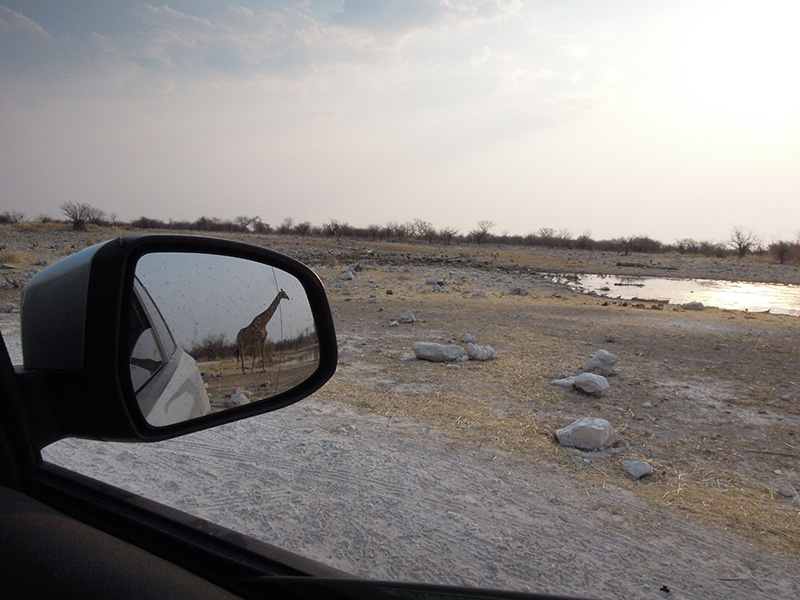
Giraffe walking behind car in Etosha Park
Locked shot - the camera stays still, the wildlife does the moving

04Audio: half of the film is sound

People forgive slightly wobbly pictures. They don't forgive roaring wind. Namibia is windy, especially in the afternoons and on the coast, so sound comes down to one thing first: keep the wind off the microphone.

  • A furry wind cover (a "deadcat") on every mic, including a small stick-on one for your phone or action cam. The foam ones that come in the box aren't enough outdoors
  • An on-camera mic is the simple upgrade for anything that isn't you talking - ambience, animals, the crunch of gravel
  • A small wireless clip-on mic kit is the upgrade if you'll talk to camera. It works with phones and cameras, and it's the single biggest quality jump for vlog-style video
  • Turn your back to the wind and use your body as a shield. Film from the sheltered side of the car
  • Keep quiet during the good bits. "Look, look, there!" ruins more clips than wind does

Record 30 seconds of "wild sound"

At every place that feels special - the dunes at dawn, a waterhole, the coast - point the camera at anything and record 30 seconds of just the sound. Birds, silence, surf. It's what makes the edit feel like being there, and you'll lay it under clips that had noisy audio.

Talk-overs, recorded later

If you want narration, record it at the end of the day, not on the spot. A parked car with the windows closed makes a surprisingly good sound booth - hold your phone 20 cm from your mouth and use the voice memo app.

Check sound with headphones once a day, even cheap earbuds. A mic that wasn't switched on, or a wind cover that fell off, is easy to spot in ten seconds - and impossible to fix later.
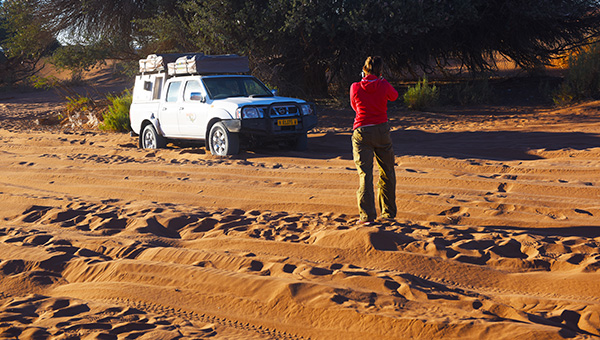
Sossusvlei sand
Sound check - 30 seconds of wind and birdsong at a waterhole

05A workflow that survives three weeks

The footage you lose is never the footage you were worried about. It's the card that got formatted by mistake, the phone that filled up on day eight, the drive left in a rental car. A small routine every evening stops all of it.

The evening routine (ten minutes)

  1. Offload every card and phone to SSD number one, into a folder named by date and place - 2026-10-12 Sossusvlei
  2. Check it - open two or three clips from the end of the day and make sure they play
  3. Copy it again to SSD number two
  4. Charge everything - camera, mic, power banks, phone - in a fixed order so nothing gets missed
  5. Only now clear the cards, by formatting them in the camera. Never delete clips on the computer or phone

The rule that saves trips: never clear a card until the clips exist in two places. Then keep the two SSDs in different bags - one with you, one in the car or your suitcase.

How much storage you'll need

Rough numbers for an hour of recording, which is about what a keen filmer shoots in a full day:

Camera & settingPer hour of footage
Phone, 1080p at 25/30 fpsabout 6-8 GB
Phone, 4K at 25/30 fpsabout 20-25 GB
Action cam, 4Kabout 40-50 GB
Mirrorless, 4K (100 Mbps)about 45 GB

So a three-week trip filming 4K on a mirrorless camera can easily reach 500 GB to 1 TB. Take two 1 TB SSDs (or two 2 TB if you shoot a lot), and enough cards for two full days of filming in case you can't offload one night.
No laptop? No problem

  • Phones and tablets with USB-C can copy straight to an SSD using the Files app. Test this at home before you leave
  • Don't count on the cloud. Lodge wifi is often slow or shared - fine for messages, not for gigabytes of video
  • Phone shooters: move clips off the phone every evening, or the phone fills up halfway through the trip and stops recording

Power on the road

  • Charge while you drive with a 12V USB-C car charger (look for "PD", 45 W or more) and USB chargers for your camera batteries
  • Camps often switch power off at night or have few sockets. Charge whenever you see a plug - a small multi-port USB charger means one socket does the whole family
  • Three camera batteries is a comfortable minimum for a full game-drive day

Dust and heat

  • Change lenses and cards inside the car, windows up, back to the wind
  • Blow, don't wipe, dust off a lens first - a cloth on grit scratches glass
  • Zip-lock bags for cameras on gravel roads; the dust gets in through the doors and vents
  • Never leave gear on the dashboard or in a parked car in the sun. Cameras and SSDs shut down - or worse - in the heat

Flying home

  • Split the two SSDs: one in your carry-on, one in another bag. If a bag goes astray, the film doesn't
  • Batteries and power banks back in the cabin, same rules as on the way in
  • Empty the beanbag - bringing beans or rice home can cause trouble at your own country's customs
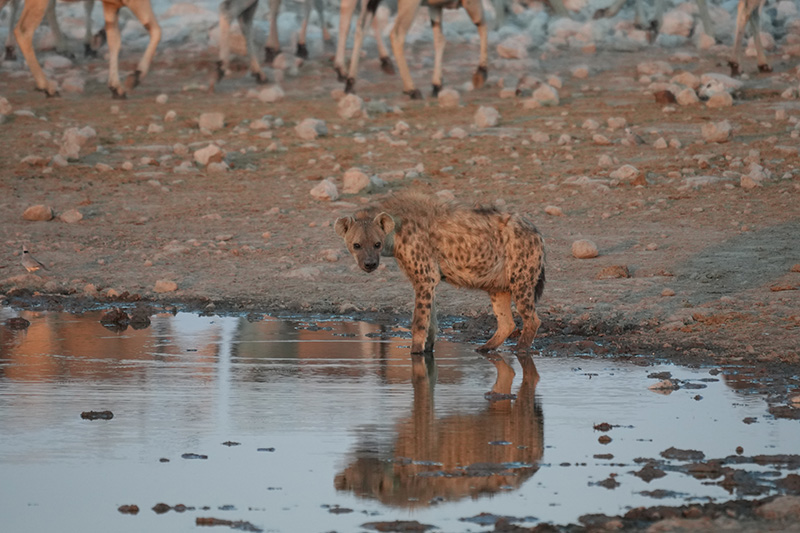
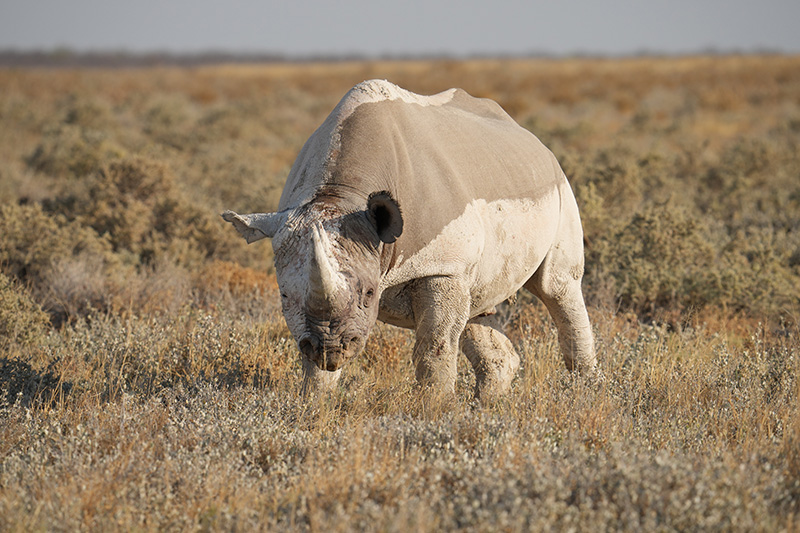
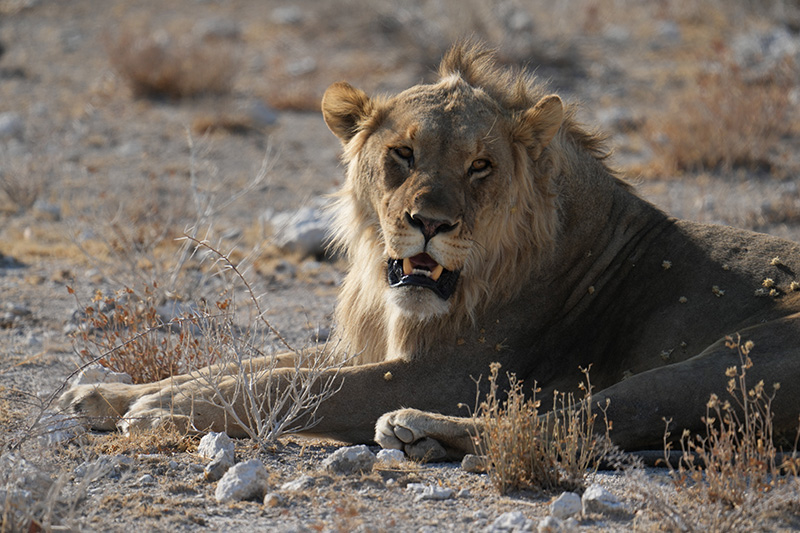
Rhino in Etosha Park Lion in Etosha Park Hyena in Etosha Park

Tick it off

The video basics checklists

Carry-on bag

Settings, night one

Stability & sound kit

Every evening

The recipe worth memorising: 25 fps, 1/50s, daylight white balance, something solid under the camera, ten seconds per shot, two copies before you clear a card.

06Video basics FAQs

Can I pack batteries and power banks in my checked bag?

No. Spare lithium batteries and power banks go in your carry-on, always. Under 100 Wh is fine, 100 to 160 Wh needs airline approval, and over 160 Wh isn't allowed. Since 2026 most airlines also cap power banks at two per person and don't allow you to use or charge them during the flight - check the rules of every airline you're flying with.

What frame rate should I use?

25 fps with a 1/50s shutter for everyday filming. Namibia's power runs at 50 Hz, so 25 fps avoids flicker under lodge and town lights. Use 50 fps if you want to slow something down a little in the edit.

Do I need a laptop?

No. Two portable SSDs and a phone or tablet that can copy files over USB-C are enough for a three-week trip. Test the copy at home first. A laptop helps if you want to review on a bigger screen, but it's extra weight in a carry-on that's probably already full.

Can I bring my drone?

Only with Namibia Civil Aviation Authority approval arranged well in advance - foreign visitors need to apply at least 60 days ahead. Drones are banned in the national parks, and at Etosha you have to leave one at the gate. For a basic trip, it's usually simpler to leave it at home or book a scenic flight for aerial shots.

Phone or camera - which should I bring?

A recent phone is enough for great road-trip video if you lock the settings, keep the lens clean and use something to steady it. A camera with a zoom lens earns its place for wildlife at distance. Many people do best with both: the camera for animals, the phone for everything else.

Charging points, early starts, steady days

We plan trips that are easy to film

Lodges with reliable power for your batteries, driving days short enough to stop for the shot, inside-the-gate stays for first light, scenic flights for the aerials you can't get with a drone. Tell us what you want to come home with and a real person will build the trip around it. No booking fees.

Plan my trip    or WhatsApp us directly

No extra fees

You pay each place's own rate - nothing on top.

Best prices

We know where the value hides in every region.

Expert advice

First-hand, from people who chase this light.

Friendly, fast service

Real people, replies usually the same day.